
OWA signatures are not updating in Office 365
Scenario
OWA signatures are not updating in Microsoft 365 even though deployment is successful and there are no errors reported.
Information
Microsoft enabled the roaming signatures feature on all Microsoft 365 tenants in April 2023.
Even if later disabled by the customer, Microsoft is known to re-enable roaming signatures at a later date.
Email Signature Manager is unable to update OWA signatures when roaming signatures are enabled.
Recommendation
Solution
Microsoft has provided the following PowerShell command to disable roaming signatures on a Microsoft 365 tenant:
Set-OrganizationConfig -PostponeRoamingSignaturesUntilLater $true
To confirm roaming signatures have been disabled:
- Log on to OWA.
- Open Settings, select Account and select Signatures.
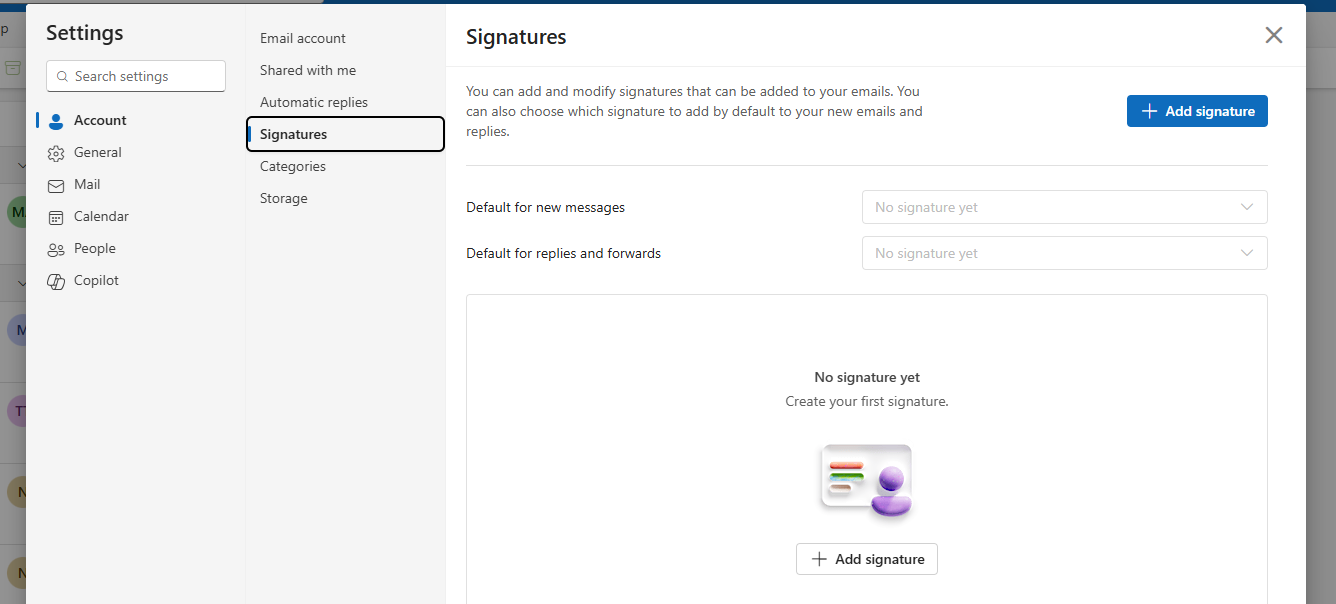
- If your Signatures page appears as the image below, the roaming signatures feature has been enabled on your Microsoft 365 tenant:
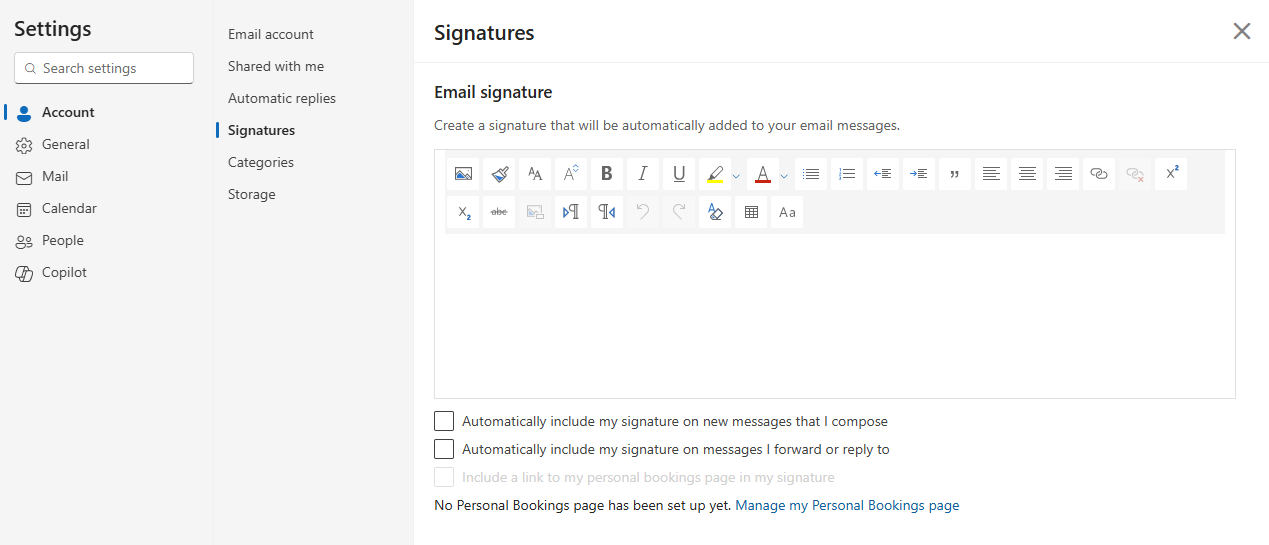
- If your Signatures page appears as the image below, roaming signatures are disabled:
Applies to
Email Signature Manager, v9, v10
Image in email signature in reply email is replaced with placeholder
Learn why iPhone and iPad Mail replaces reply images with filenames and why no product fix exists.
Uninstalling the Email Signature Manager Agent programmatically
Programmatically remove ClickOnce or MSI agent installations with PowerShell or MSI uninstall commands.