
How Outlook client-side signatures work
Use client-side signatures when you want users to see and insert signatures while they compose messages in Outlook. This mode is enabled when you choose Client-side or Both in the setup wizard.
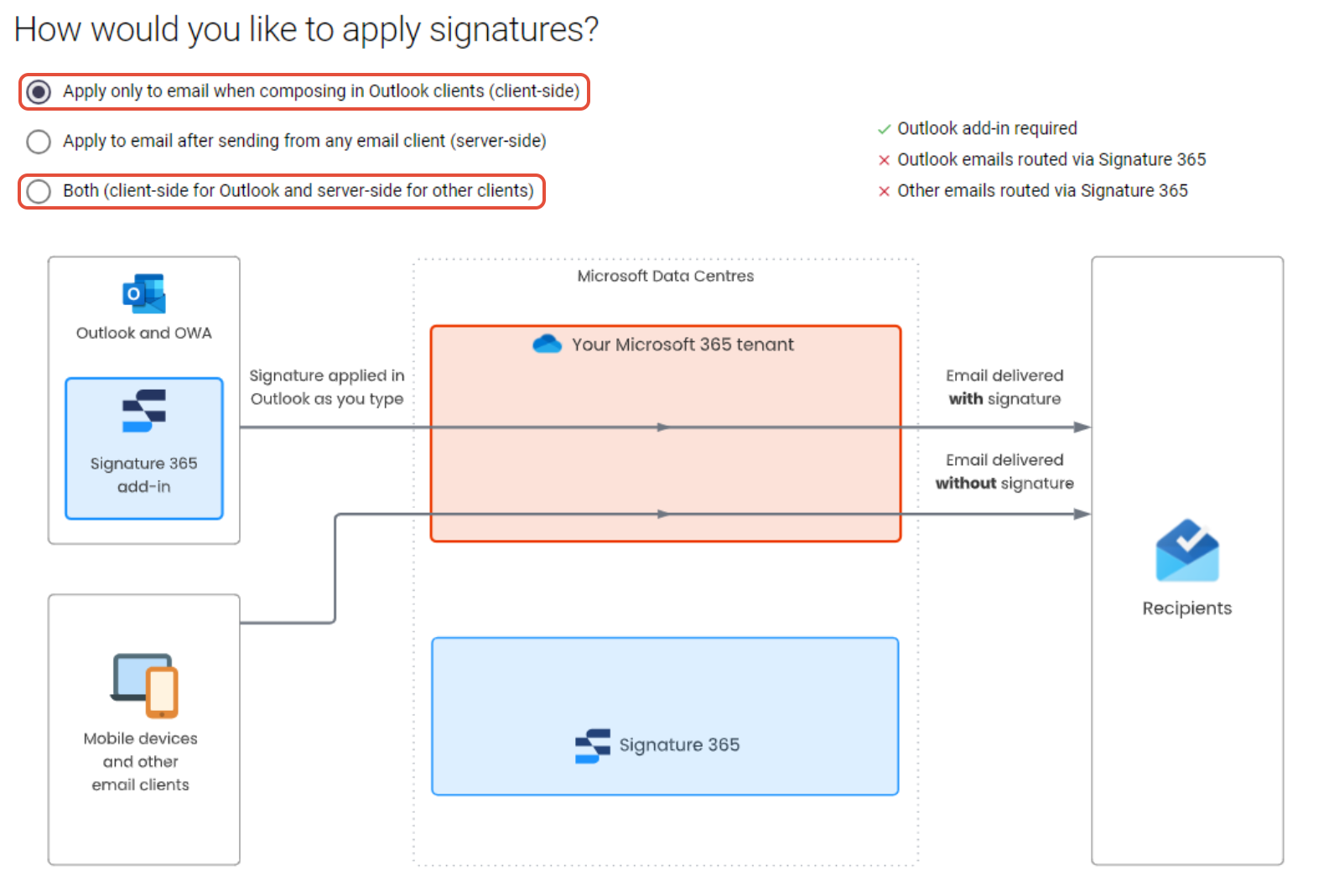
When client-side signatures are enabled, Signature 365 inserts the signature into newly composed messages in supported Outlook clients.
- For Microsoft 365 subscription clients, deploy the Outlook add-in.
- For perpetual Outlook desktop versions, deploy the Outlook (Classic) agent.
If you are deciding between client-side and server-side delivery, compare the two approaches in What is the difference between client-side and server-side signatures?. For the server-side routing model, see How Microsoft 365 server-side signatures work.
Next steps
Enable legacy Exchange Online tokens
Temporarily re-enable legacy Exchange Online tokens while upgrading the Signature 365 add-in or granting required permissions.
How to enable debug log in Outlook add-in
Enable or disable Outlook add-in debug logging in Windows by creating the required Office registry keys.