
Moving Signature 365 to a new Microsoft 365 tenant
Problem
You wish to move your Signature 365 tenant to a new Microsoft 365 tenant.
Solution
You will need to disable the existing Microsoft 365 integration in Signature 365 and remove a number of components to connect to your new Microsoft 365 tenant.
Disable the current integration
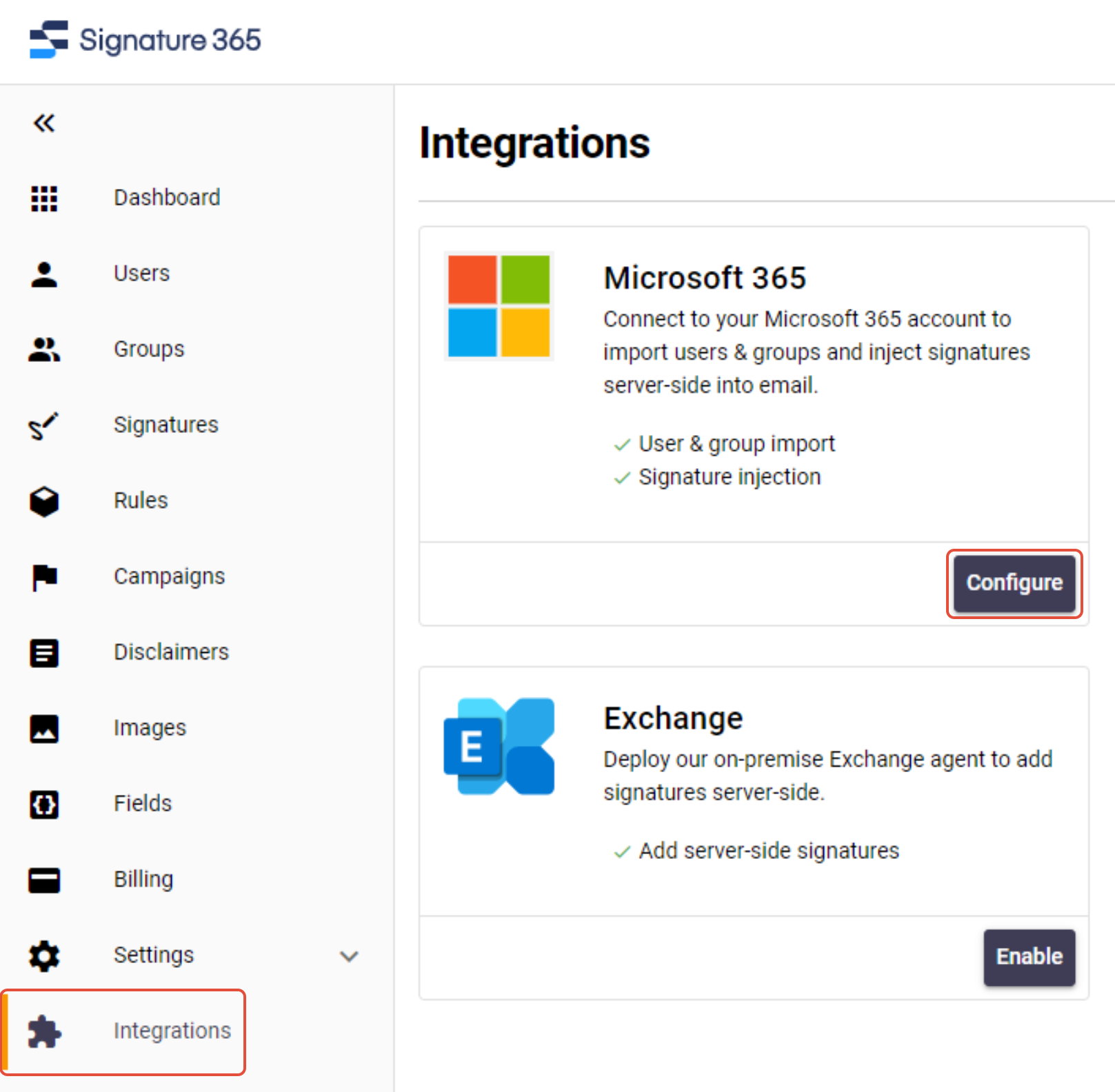
Sign in to the Signature 365 admin portal, select the Integrations menu option, and click Configure under Microsoft 365.
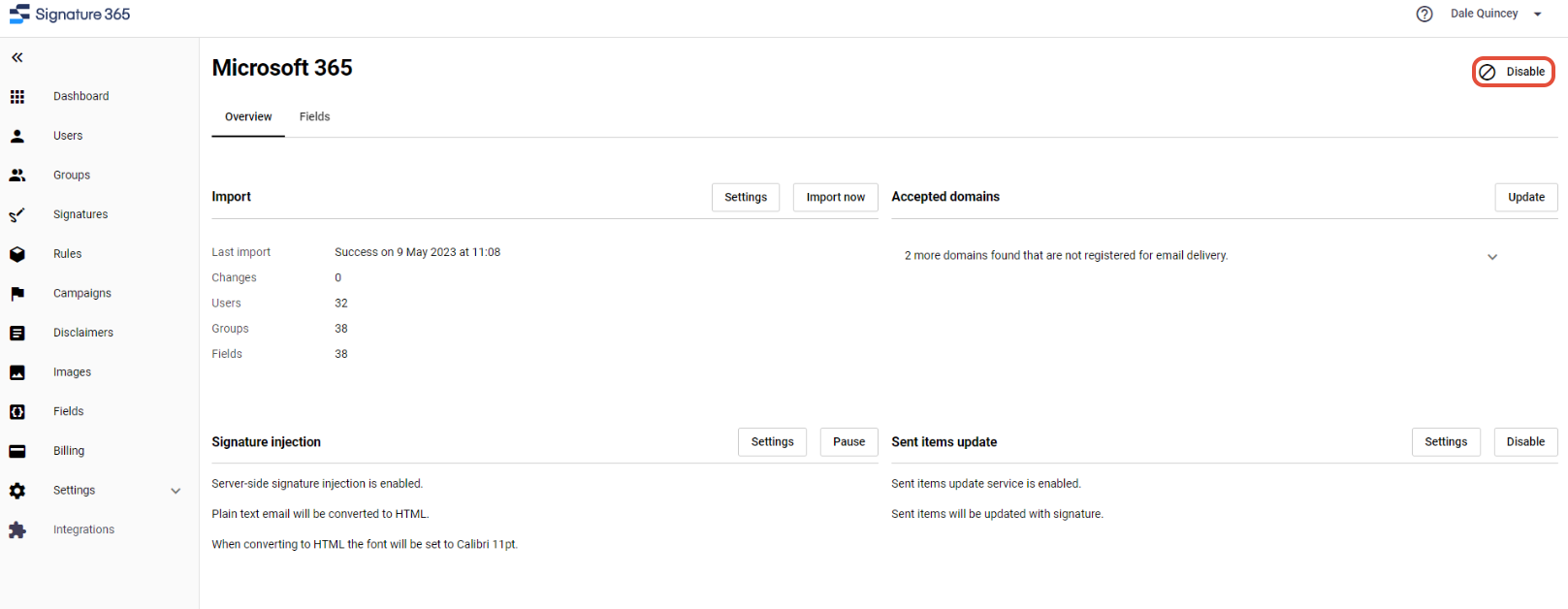
Select the Disable option from the top right.
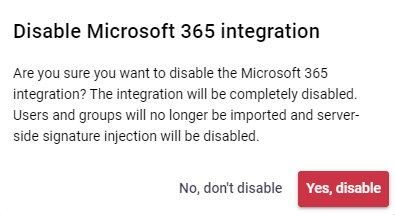
Select Yes, disable to disable the integration.
Click I understand on the next screen. This will return you to the Signature 365 dashboard.
Remove Signature 365 connectors and rules from old Exchange online admin center
Log on to the Exchange admin center
Select Mail flow -> Connectors.
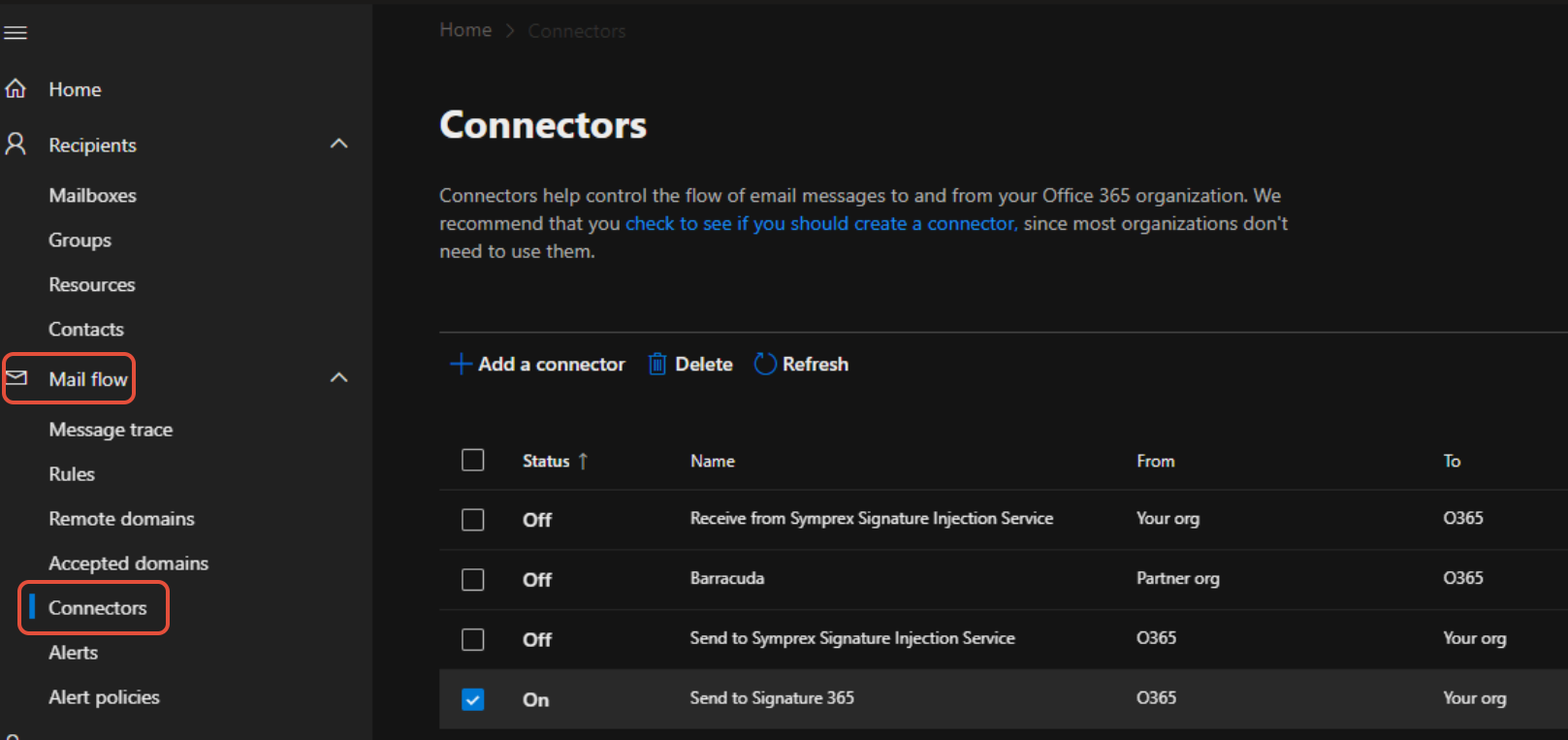
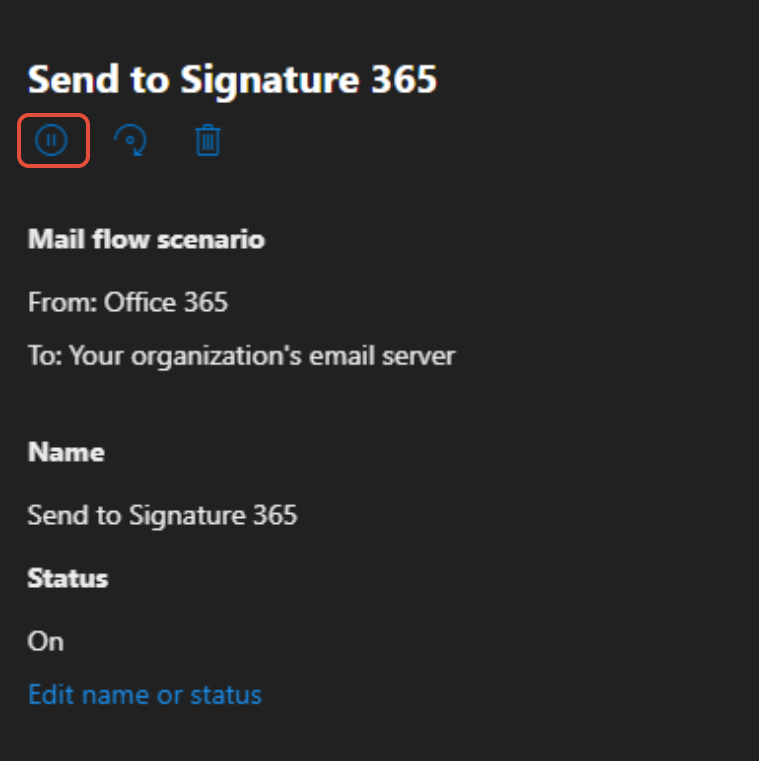
Disable the connectors Send to Signature 365 and Receive from Signature 365 by selecting the connector and clicking the pause button.
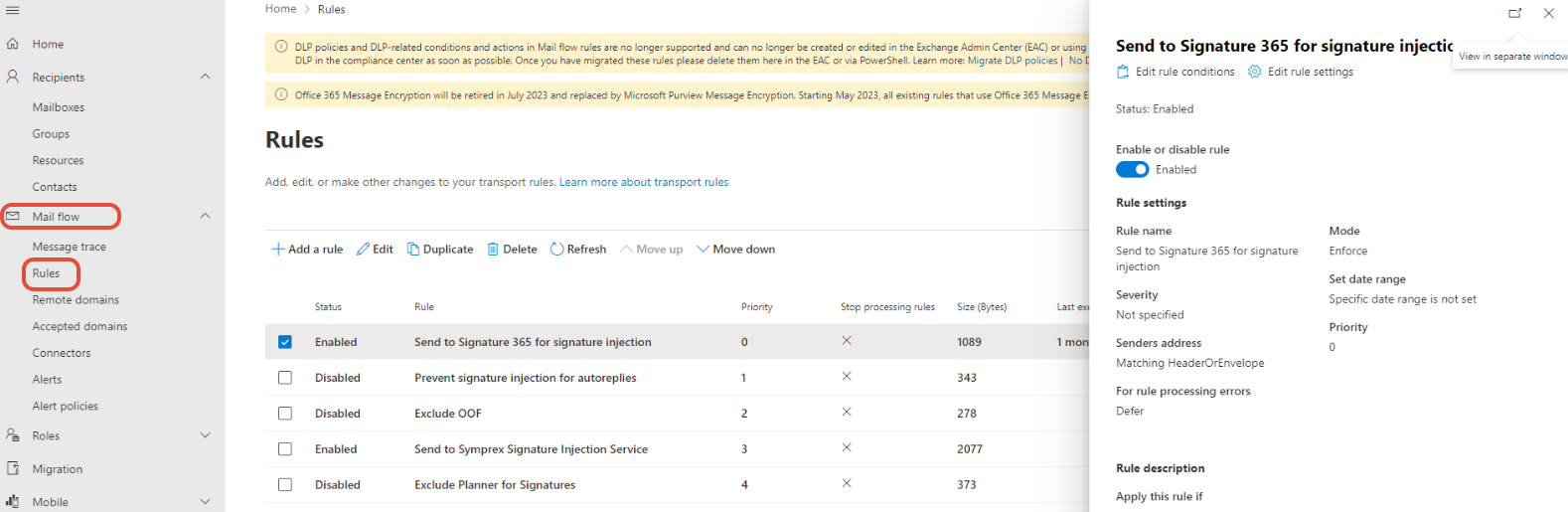
Select Mail flow -> Rules.
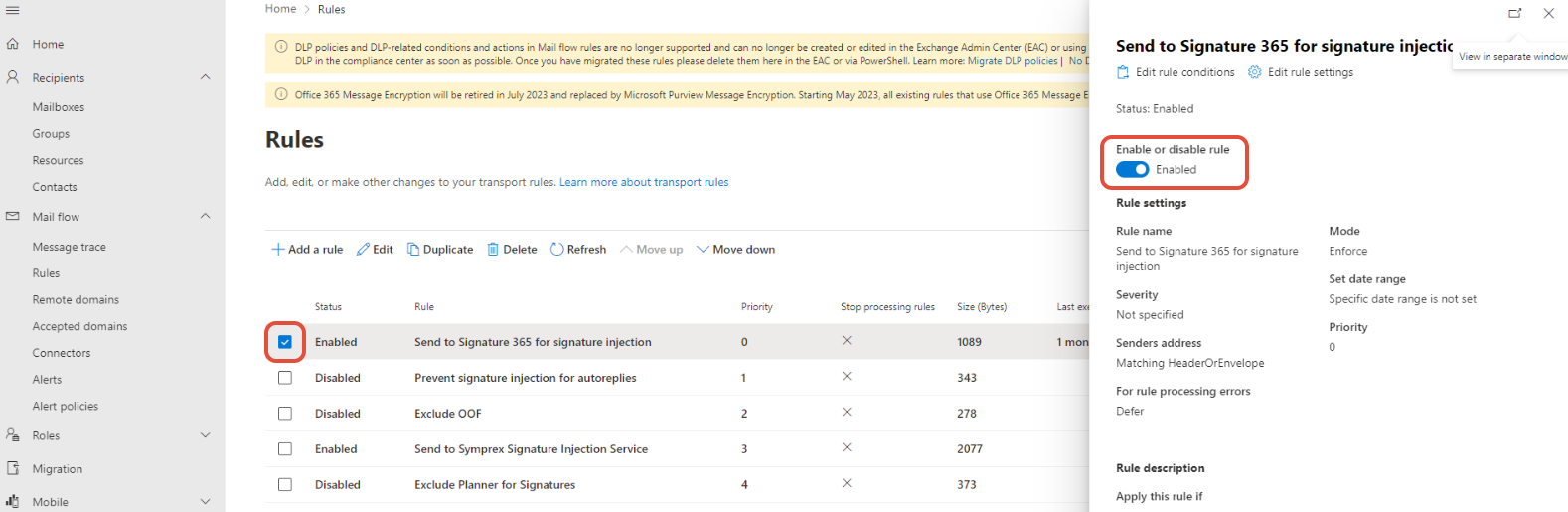
Select the tickbox for the Send to Signature 365 rule and disable.
Remove the Signature 365 certificate domain from the old Microsoft 365 tenant
Sign in to the Microsoft 365 admin center and select Settings -> Domains.
You will see a domain xxxx.smtp.signature365.net listed with status "Incomplete setup" or "No services selected". Select the tickbox, and click the Remove domain button.
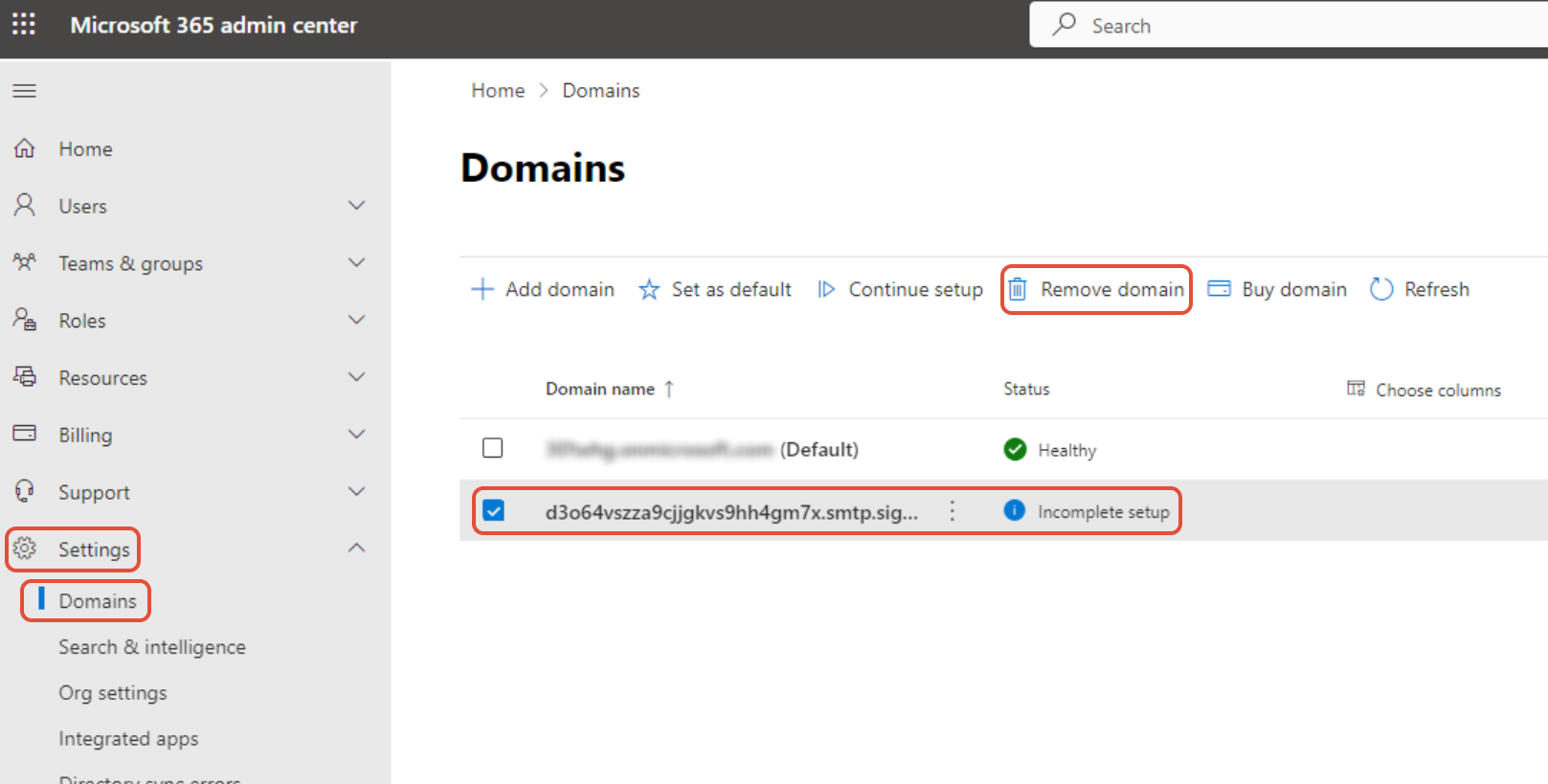
This will prompt you to confirm removal of the domain. Click the Remove domain button in the popup. Once completed, this will return you to the Domains page, and the Signature 365 certificate domain will have been removed.
Complete integration steps for your new Microsoft 365 Tenant
Return to the Signature 365 management portal, and click the Setup button from the main dashboard to integrate with your new tenant.
Follow the instructions, ensuring that you use the admin credentials for your new Microsoft 365 tenant to complete the integration.
When the setup has been completed, you will need to review your existing Signature 365 rules and amend as required to apply to the correct users and groups.
Inspecting users and groups configured to use server-side injection
This article will help you to understand the current users or groups you currently have configured to use server-side si...
Restrict access to Signature 365 server-side signatures using an Office 365 Security group
Scenario You wish to restrict usage of the Signature 365 server-side signatures function to a specific subset of your us...