
Removing the Signature 365 Mailflow rule and Exchange Connectors
Remove Signature 365 mailflow rules and Exchange Online connectors in the correct order.
If you have been asked by the Signature 365 support team to remove the server-side integration components, or want to perform this yourself, complete the steps below in the Exchange admin center.
- Log on to the Exchange admin center
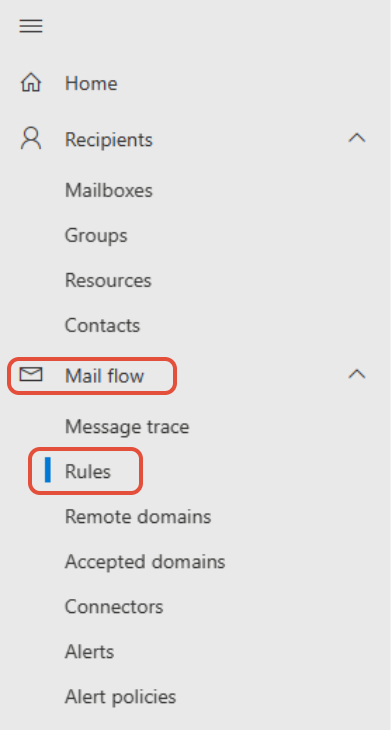
- Select Mail flow and then Rules from the menu
- Select the Send to Signature 365 for signature injection rule, and select the Delete option


- Select the Connectors menu option
- Select the Send to Signature 365 and Receive from Signature 365 connectors individually, and select the Delete option for each

This completes the process of removing the Signature 365 server-side connectors and rules from your Exchange Online tenant.
Non-delivery report errors and solutions
Overview of Signature 365 server-side non-delivery report errors, linked fixes, and configuration-related causes.
Server-side injection - Digital Guardian Agent X-dg headers cause 552 5.3.4 error
Fix Digital Guardian x-dg headers causing 552 5.3.4 errors with Signature 365 server-side injection.