
How to enable remote logging in the Outlook add-in
Enable remote logging in the Signature 365 Outlook add-in so support can diagnose issues across supported Outlook clients.
The Signature 365 support team have asked you to enable remote logging in the Outlook add-in to diagnose an issue.
These steps apply to all Outlook clients using the add-in. You can do this by following the steps below.
- Create a new email
- Select the Signature 365 add-in to open the task pane
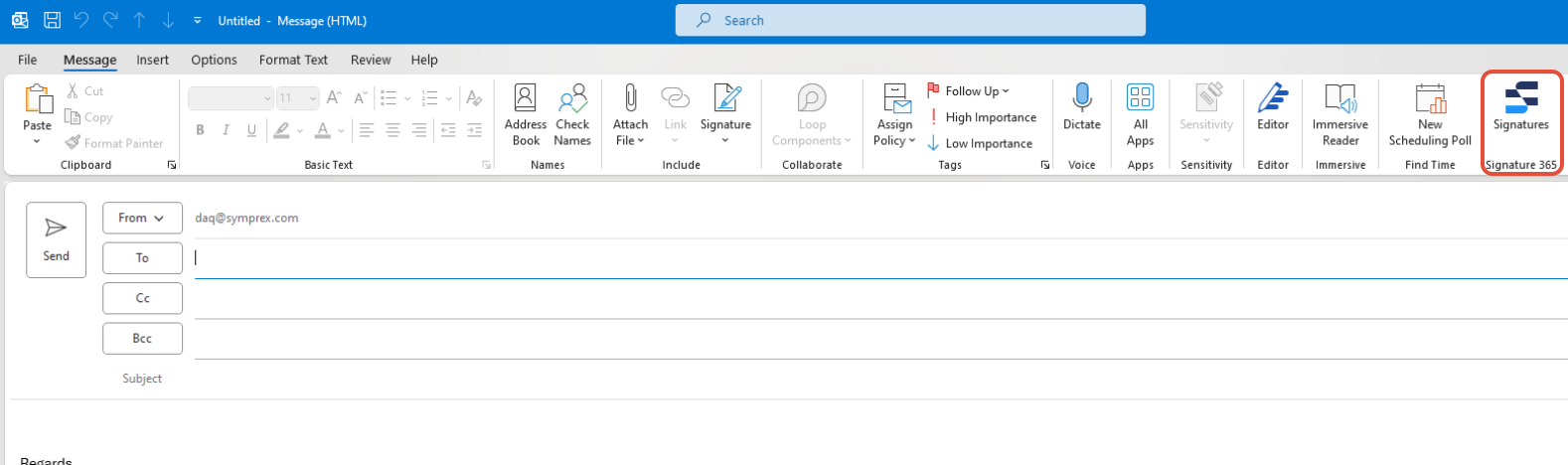 Outlook can sometimes fail to display the button. In this case, select the Add-ins button in Outlook, and click Signature 365
**
Outlook can sometimes fail to display the button. In this case, select the Add-ins button in Outlook, and click Signature 365
**
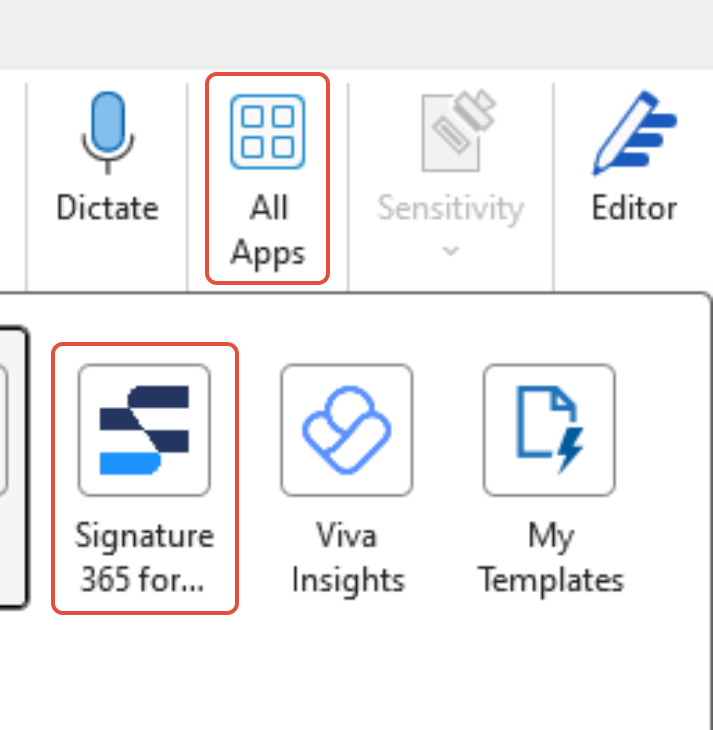 **
** - At the bottom right of the window, select the (?) Help link
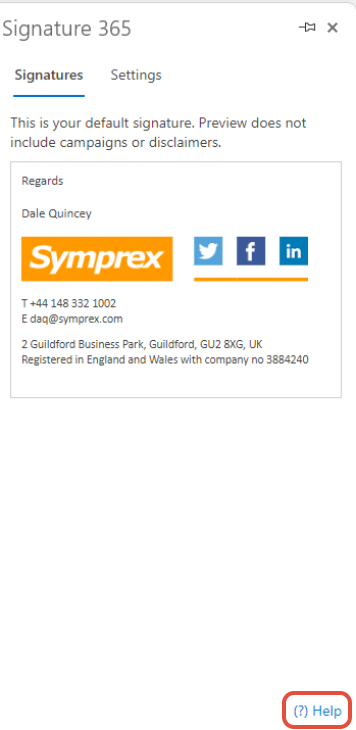
- Click the Start logging session button
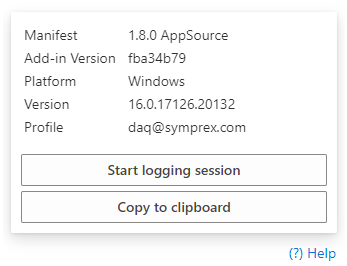
After doing this, you will usually be asked by the support team to close and recreate a new email.
Existing outlook email templates insert signature above email body
Fix signatures appearing above existing Outlook template content by recreating the email template.
HTML tags are shown for weblinks and images
Resolve Outlook showing hyperlink or image field codes by toggling the built-in Document Properties view with Alt+F9.