
Signature 365 required permissions
Review these permissions before you start How to setup Signature 365. This reference explains which Microsoft 365 permissions are requested for core setup and for optional server-side features.
If you plan to use SSO for management accounts, also review Enabling single sign-on (SSO) for Signature 365 management accounts.
Microsoft 365
To set up Signature 365 to integrate with Microsoft 365, the permissions below are required.
Required permissions for reading directory data
The permissions below are required to import directory, user, and group information:
Read directory data
This allows us to import your directory, including users, groups, and domains.
Read all users' full profile
This allows us to import your users and profiles for use in your signatures.
Read all user mailbox settings
This allows us to import your users' mailbox settings.
Sign in and read user profile
This is required to connect to your tenant.
This is a screenshot of the permissions request dialog:
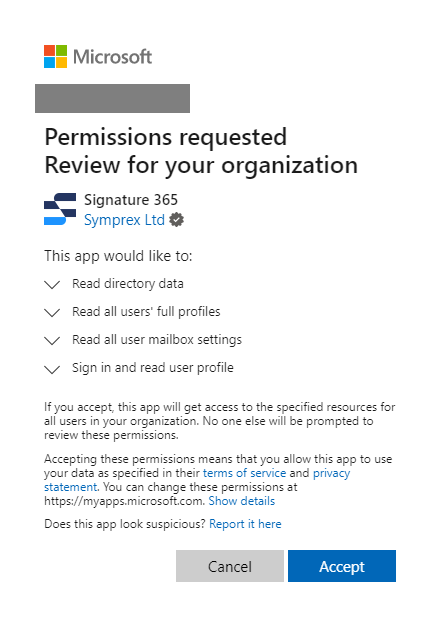
When you click Accept, a Signature 365 enterprise application is created in your Entra ID tenant.
The request is for administrator-level access so Signature 365 can continuously import your directory information in the background. If you are not a Global Administrator when accepting the permissions, you will see a dialog requesting you to log in as a Global Administrator.
Required permissions for setting up integration with Exchange Online
The permissions below are required to allow Signature 365 to add a domain to your Microsoft 365 tenant that matches the certificate we will use to communicate securely with Exchange Online.
Read and write domains
This allows us to add a domain to your Microsoft 365 tenant that matches the certificate we will use to communicate securely with Exchange Online.
Sign in and read user profile
This is required to connect to your tenant.
This is a screenshot of the permissions request dialog:
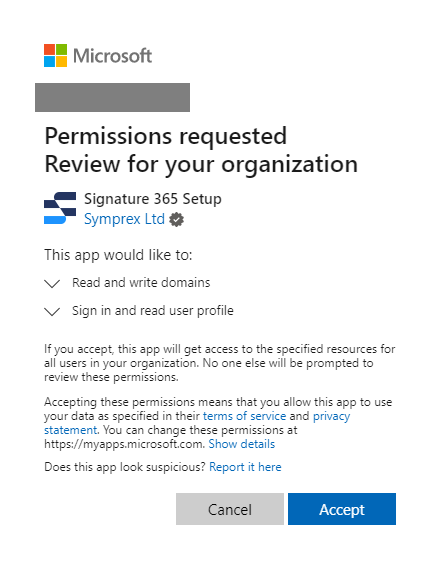
When you click Accept, a Signature 365 Setup enterprise application is created in your Entra ID tenant.
The request is for administrator-level access. If you are not a Global Administrator when accepting the permissions, you will see a dialog requesting you to log in as a Global Administrator.
Request to sign in to application to create connectors and transport rule
You will be asked to sign in to the application Microsoft Exchange REST API Based PowerShell. You must sign in as a Global Administrator and make sure to enter the credentials for the correct Microsoft 365 tenant.
Next steps
- How to setup Signature 365
- Enabling single sign-on (SSO) for Signature 365 management accounts
- How Microsoft 365 server-side signatures work if you plan to enable server-side delivery