
Unable to contact the Signature 365 service when using the Add-in with an on-premise mailbox
If you are using Signature 365 with cloud mailboxes within Microsoft 365 but receive the following error when attempting to use it with an on-premise mailbox, Signature 365 cannot reach your on-premise Exchange server to verify the user.
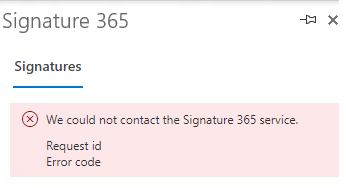
Checking the add-in logs on your device, you see the following error reported by the add-in:
[Log] [S365] [messageCompose] https://id.signature365.com/connect/token failed
This happens because Signature 365 must confirm the authenticity of the user contacting the service. For on-premise mailboxes, this can only be done by contacting your on-premise Exchange server. If your firewall blocks access to your Exchange server, Signature 365 can receive either a 401 unauthorised response or a timeout, which results in the errors listed above.
To resolve this issue, you must allow access to your on-premise Exchange servers through any external firewalls so Signature 365 can authorise your on-premise users.
Our Identity servers are a global resource, and utilise the region closest to the user connected. If your users are geographically closer to another region, this may use the Identity server of the closer region.
The external IP addresses are listed in the following document. These will need to be granted access to your on-premise Exchange server to be able to successfully authenticate your on-premise users.
Signature 365 SMTP host list and IP whitelist : Signature 365 Help Center