
Inserting a signature in a specific location with Server-side injection
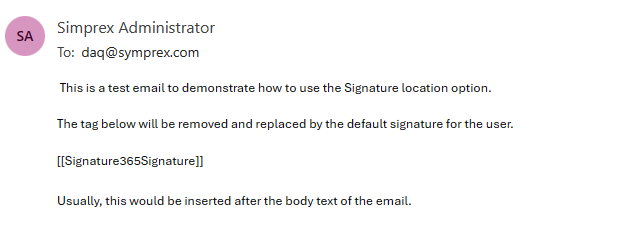
If you are using server-side injection and want to insert the signature in a specific location, you can place a marker in the email body.
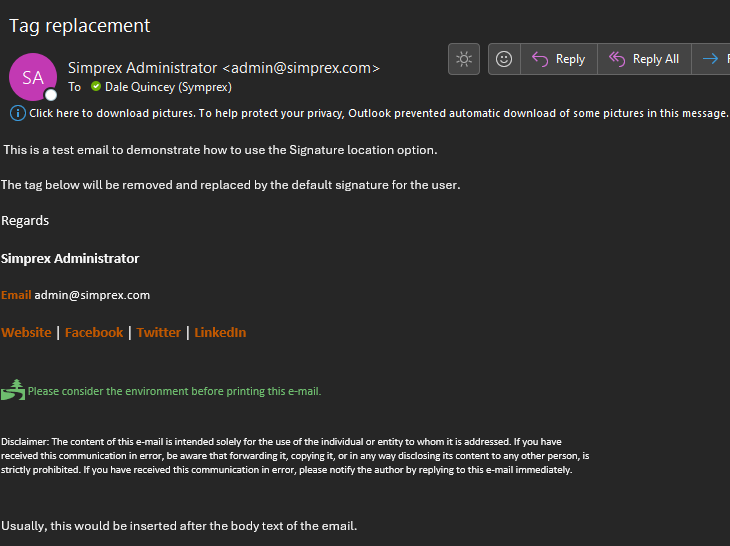
By default, server-side injection will insert the default signature assigned to a user at the end of the body text of an email that is sent. You can override this behaviour by using a specific tag in an email to specify to the server-side component where you wish the default signature to be inserted.
The tag will be removed as part of the server-side injection process, ensuring that only the signature is inserted.
To enable this, simply insert either of the following tags in your email body:
{{Signature365Signature}}
[[Signature365Signature]]
How to use Signature 365 together with third-party security solutions
Configure mail flow so Signature 365 works with third-party email security services like Mimecast.
Recreating the Signature 365 Exchange connectors
Recreate Signature 365 Exchange Online connectors when connector issues or configuration changes require it.