
Import Active Directory attributes into Signature 365
If you use a hybrid Active Directory / Entra ID environment, you may find that some Active Directory attributes for users are not populated in Signature 365. This happens because only certain attributes are synchronised from your on-premises Active Directory to Entra ID by default.
Complete the steps below to ensure any additional Active Directory attributes you need in Signature 365 are synchronised from Active Directory to Entra ID, using either Entra Connect Sync or Entra Connect Cloud Sync.
Once imported, you can see these fields in the fields tab in Signature 365
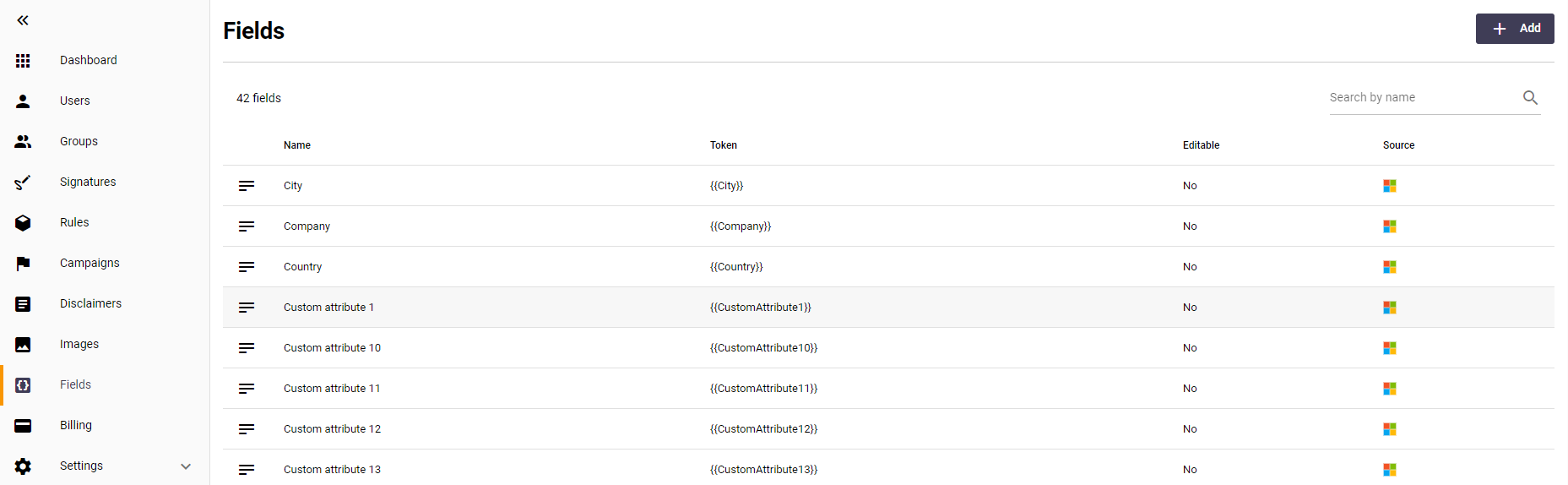
For information about the attributes that are synchronised by default, see Attributes synchronised by Entra Connect Sync.
You can enable Directory extension attribute sync and configure the attributes you wish to synchronise in the Entra Connect Sync tool:
- Open Microsoft Entra Connect Sync
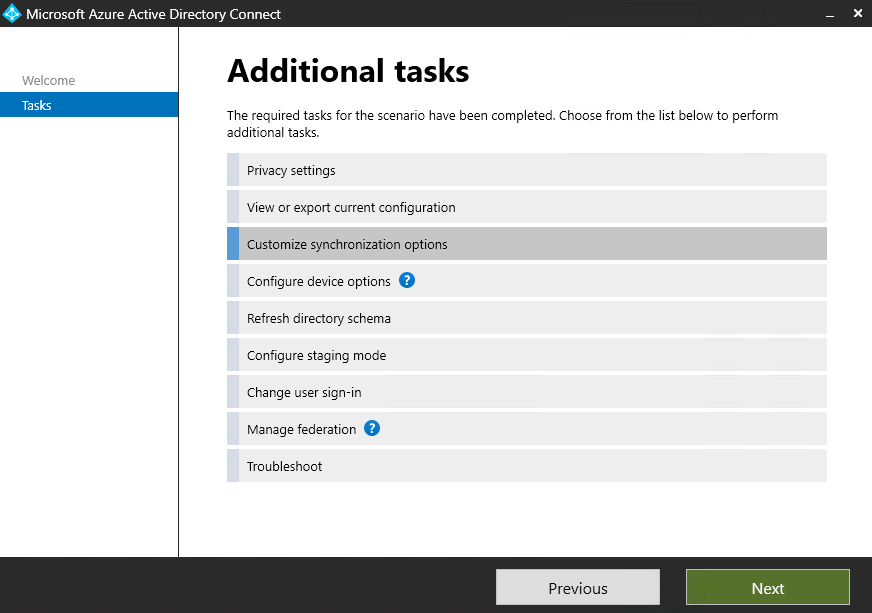
- Select Customise synchronization options and press Next
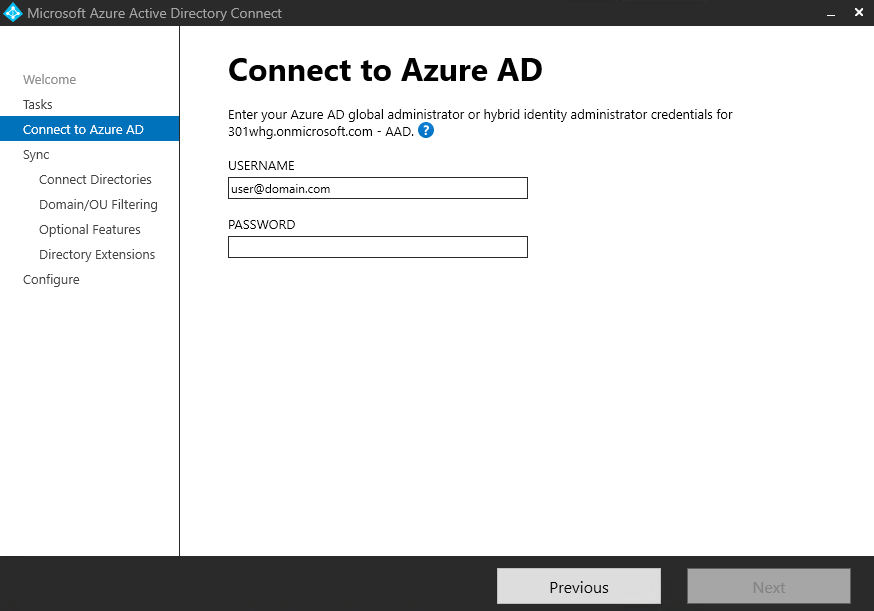
- Enter the credentials of a Global Administrator and click Next
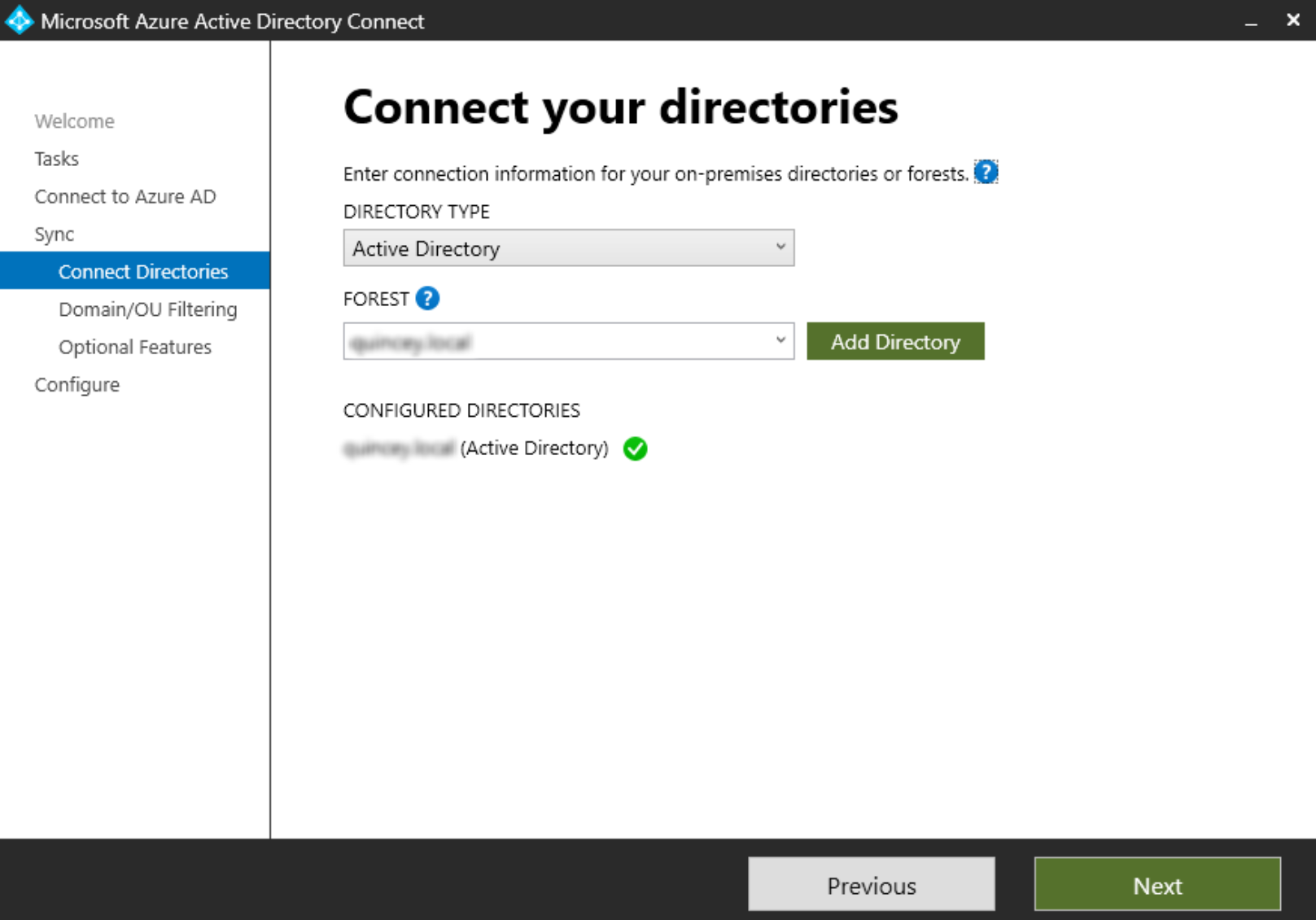
- Select your Active Directory details to connect and click Next
- Domain and OU Filtering will not need to be updated. Click next to proceed to the next step
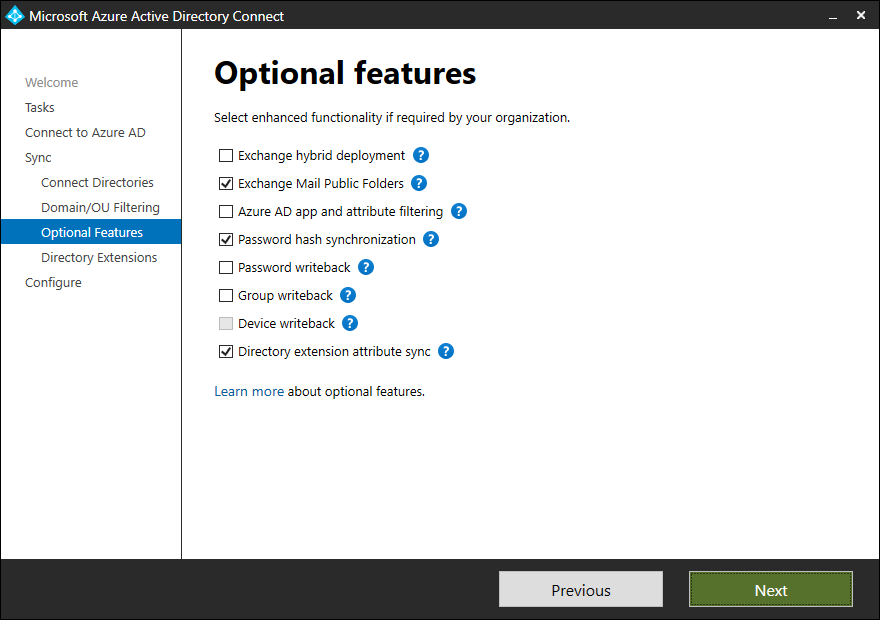
- On the Optional Features pane, tick the Directory extension attribute sync option and select Next
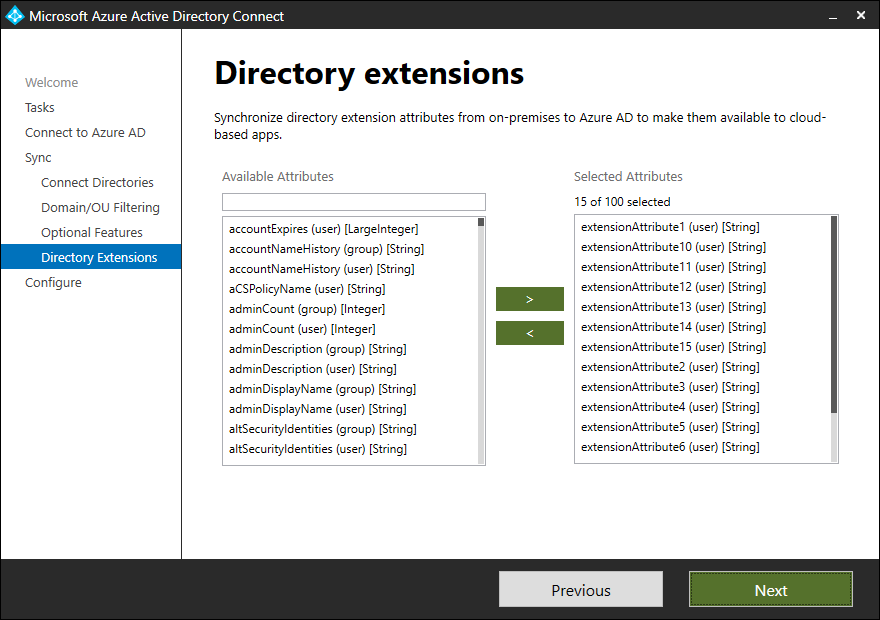
- On the Directory Extensions pane, search for your desired attribute in the Available Attributes search box
You may also want to add extensionAttribute1 (user) through to extensionAttribute15 (user) to Selected Attributes in addition to your required attributes
- Complete the wizard
By default, the Entra Connect Cloud Sync tool will map all ExtensionAttribute(1-15) values in AD to the CustomAttribute(1-15) fields in Exchange Online.
The tool is also able to map any internal AD attribute to any of the CustomAttribute(1-15) fields.
Signature 365 cannot currently import custom fields created by Entra Connect Cloud Sync tool, any required attributes must be mapped to either of these variable sets.
To do this, you must follow these steps:
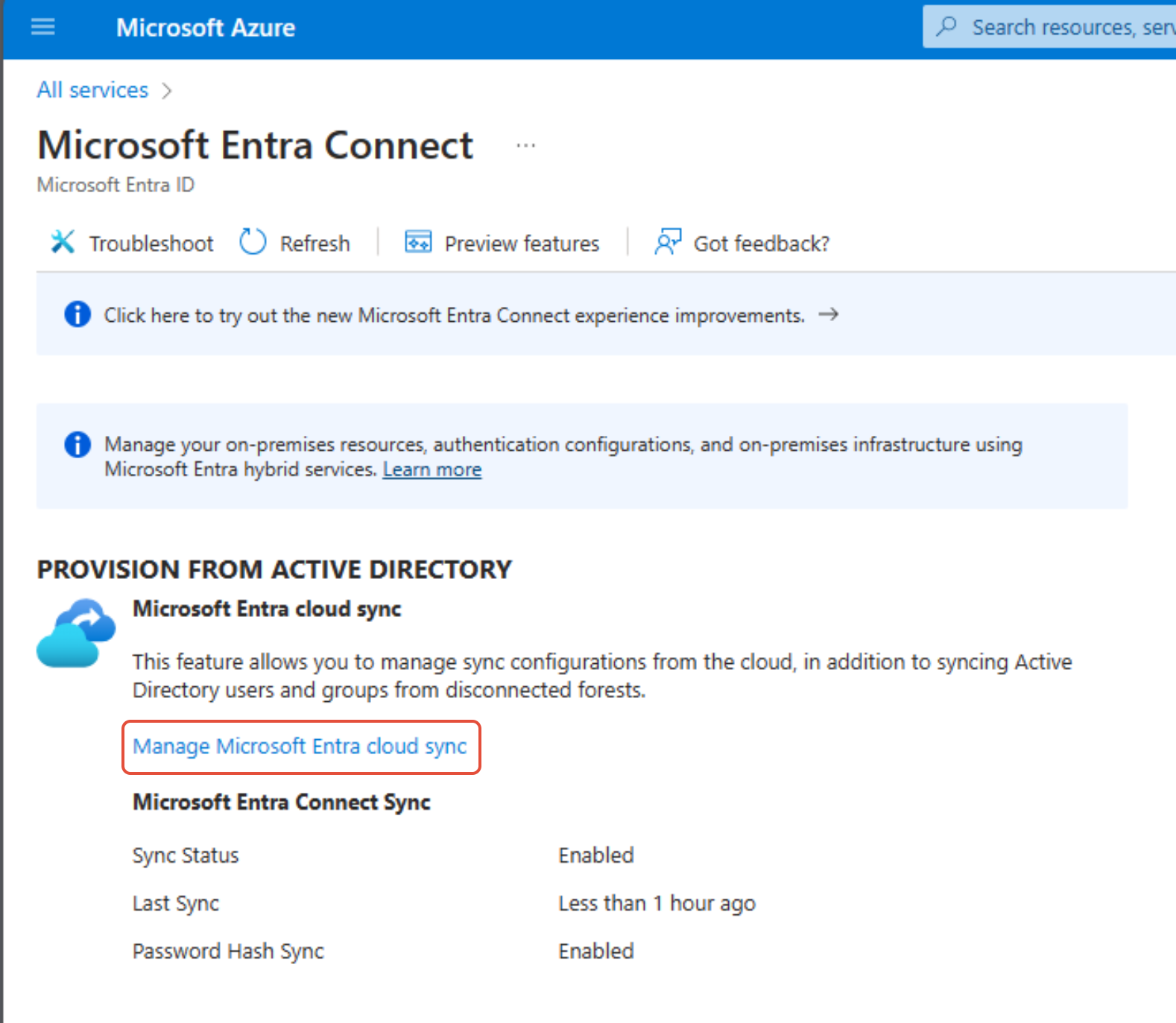
- Log on to the Entra Connect Sync portal and click on the Manage Entra Connect cloud sync option in the menu
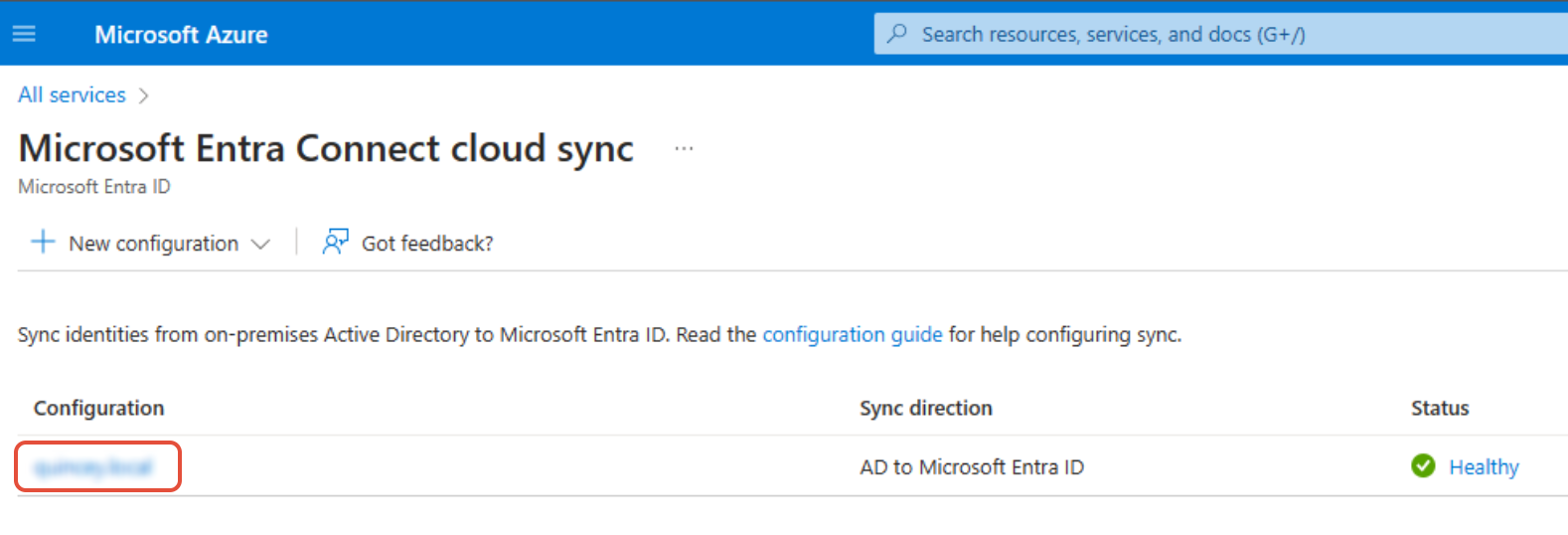
- Select your current configuration
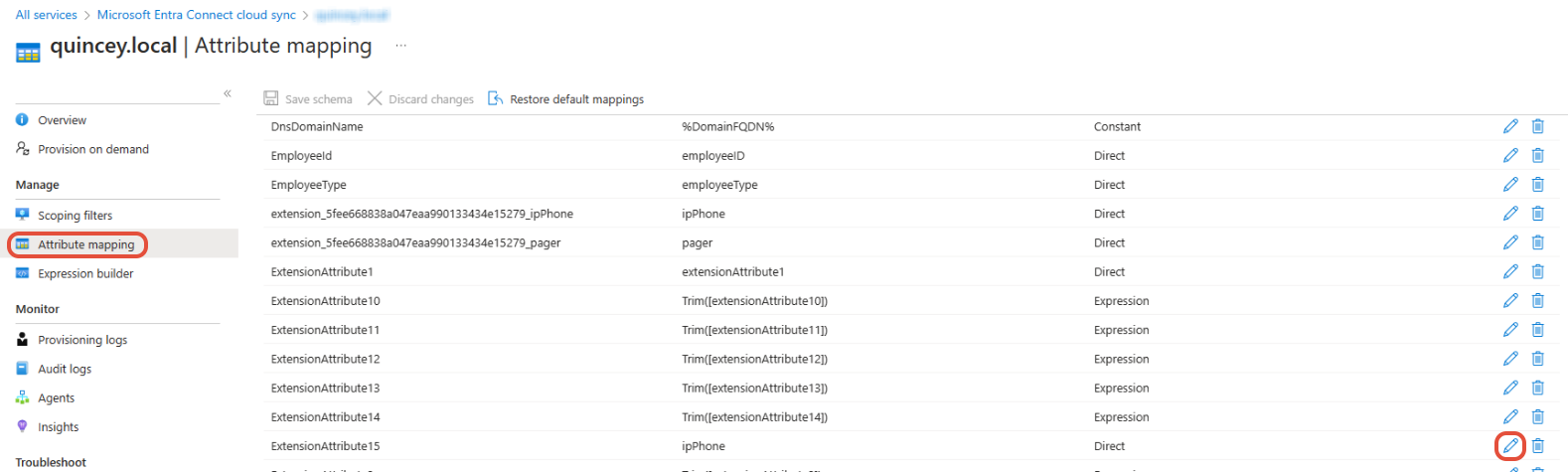
- Select the Attribute mapping menu item and find the Entra ID attribute that you wish to synchronise to - for example ExtensionAttribute15, and click the Edit button
- You must change the current mapping type to Direct, and map to the AD field that you wish to use - for example ipPhone
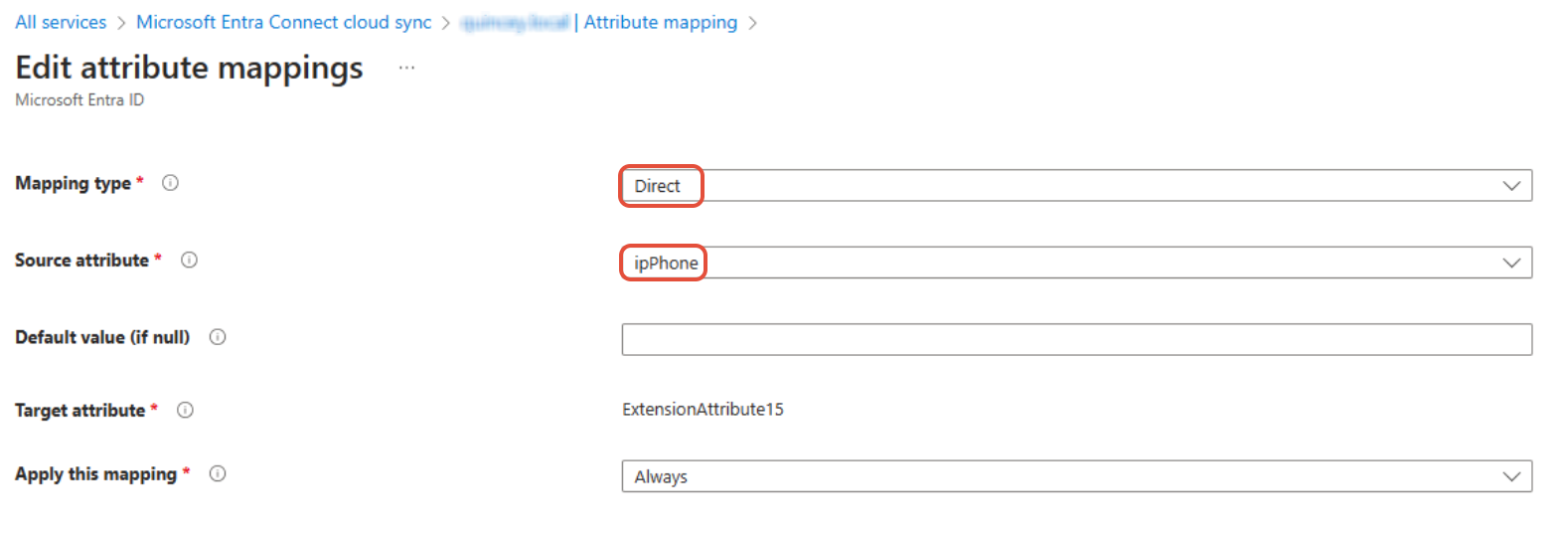
At the next sync, the fields will be populated in Entra ID, and the data will pull through to Signature 365.
How to update the Sender Policy Framework (SPF) record
Update your SPF record for server-side signatures so messages processed by Signature 365 are less likely to be marked as spam.
Managing multiple tenants from the Signature 365 portal
Manage multiple Signature 365 tenants from one account by registering another tenant or accepting invitations.