Exclude signatures on Microsoft Planner comment emails
Prevent Signature 365 adding signatures to Microsoft Planner comment notification emails.
If you use Signature 365 server-side injection with Microsoft Planner, Planner comment emails can receive signatures because Microsoft Planner sends an email whenever a comment is added. If you want to prevent this behaviour, add an Exchange mail flow rule as follows.
- Log on to the Exchange admin center
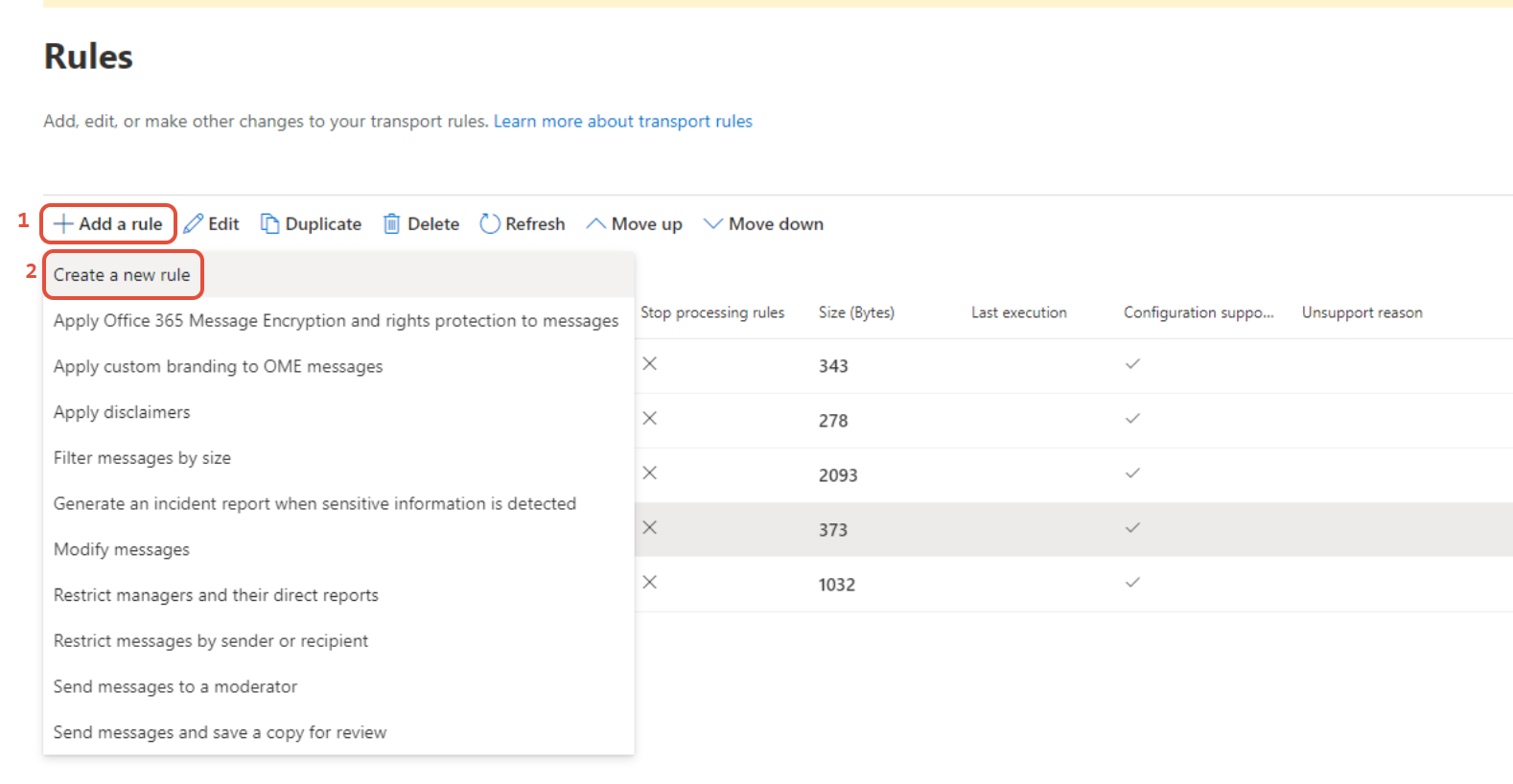
- Select Add a rule -> Create a new rule
- Configure the rule as follows:
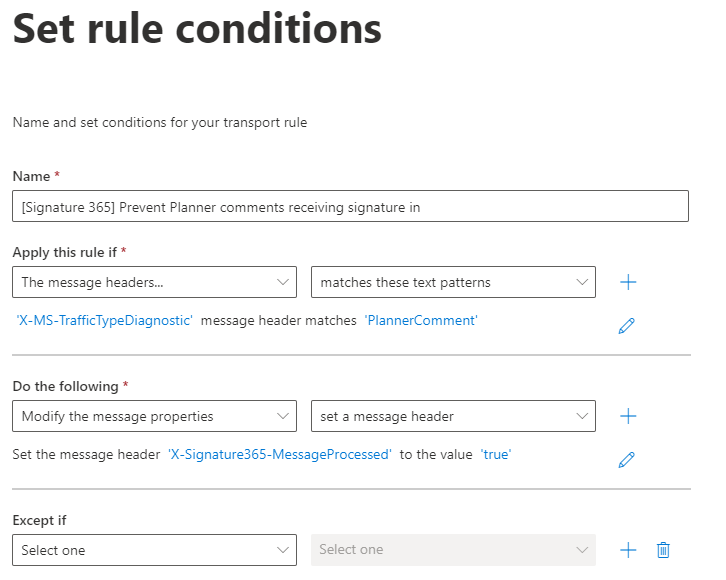
- Set the name to [Signature 365] Prevent Planner comments receiving signature injection
- Set Apply this rule if to The message headers and matches these text patterns options to: X-MS-TrafficTypeDiagnostic and PlannerComment
- Set Do the following to Modify the message properties and set a message header to:
X-Signature365-MessageProcessed and true
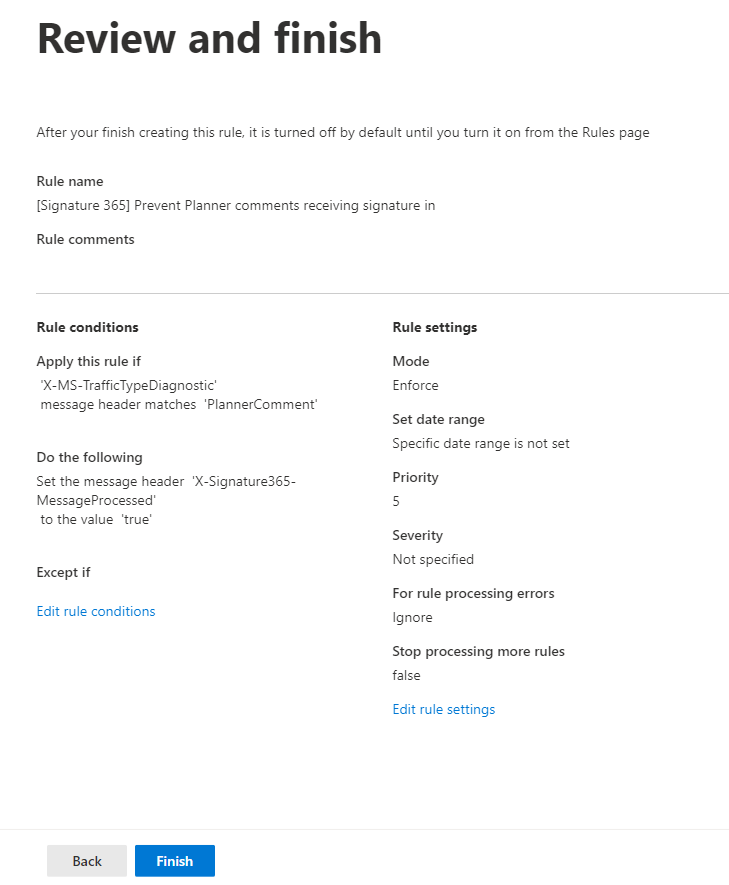
- Click Next and Next on the following screen, leaving the settings as default
- Click Finish on the Review and finish screen
- Allow the rule to save, and click Done
- Select the rule you have created, and click Edit rule settings
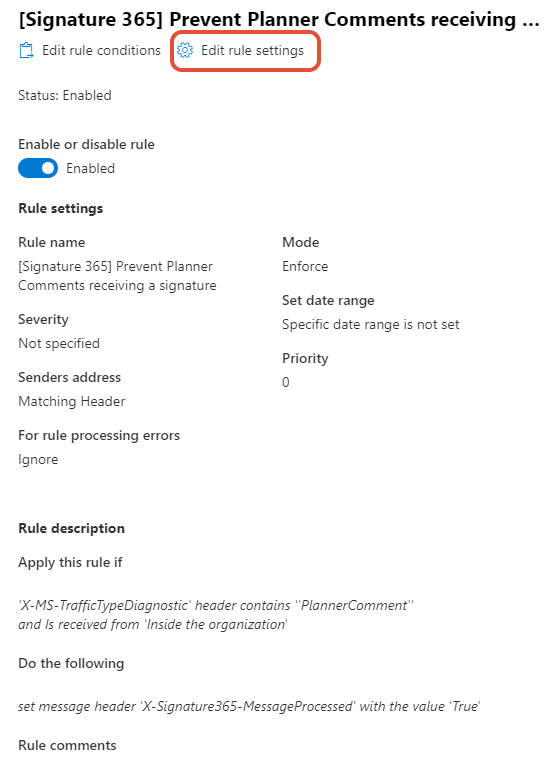
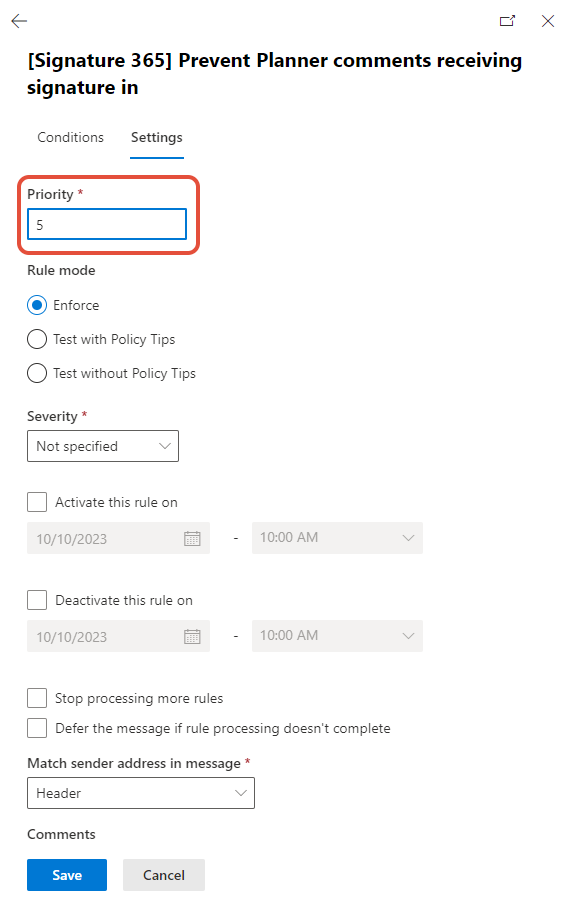
- Set the Priority of the rule higher than the Send to Signature 365 for signature injection rule and hit Save